 Nuri Gökdoğan
BlogPro · Your own publishing website
Room for your ideas. A panel for the details.
Publish articles, projects and poems on a website of your own. Organise your work and keep its presentation up to date from one clear control panel.
Actual BlogPro demo screens. Interface language can change; your own writing stays in the language you wrote it.
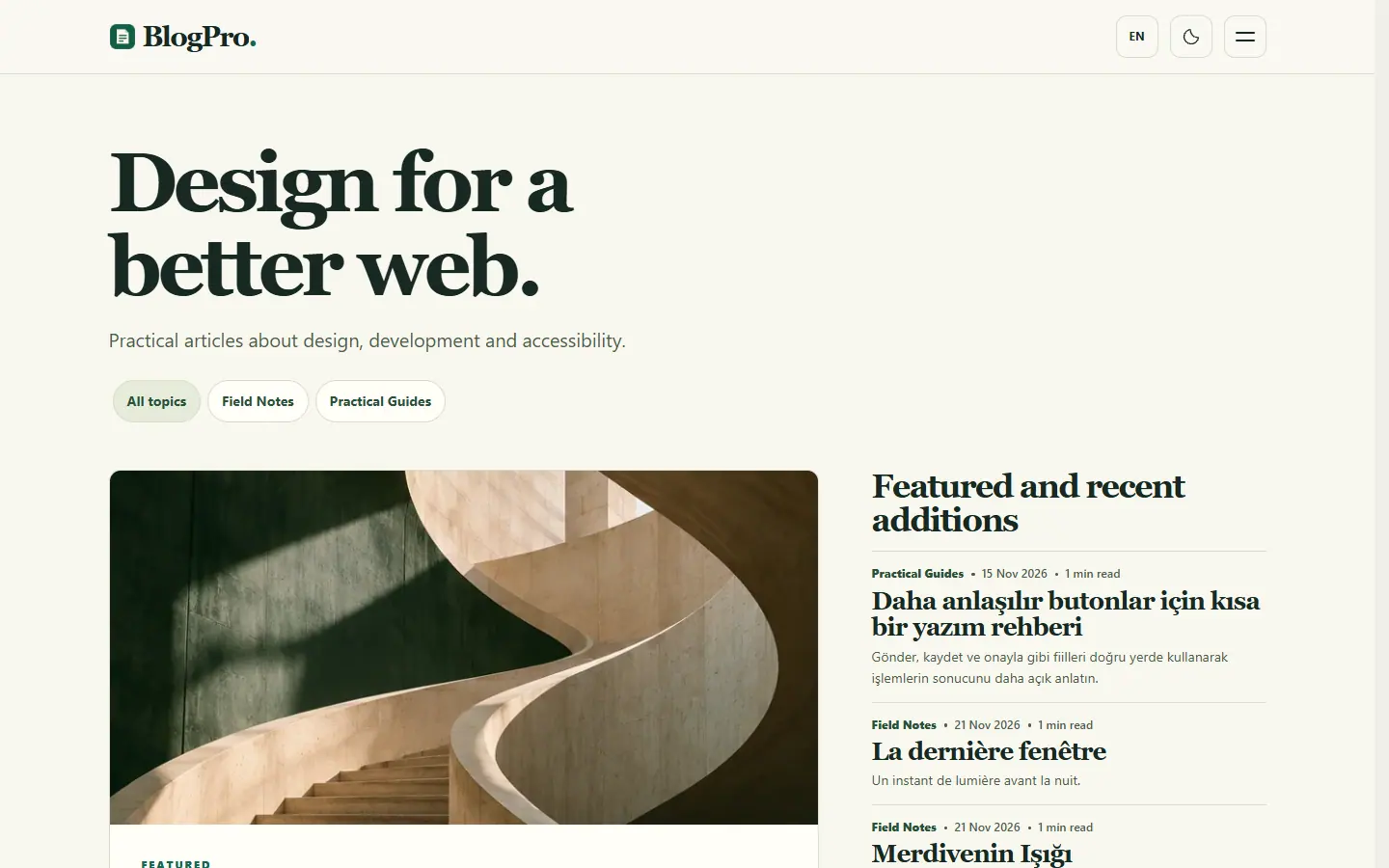
01 / Website
Let readers find their next read.
Give articles a readable home on phones and computers. Readers can browse archives, search and move between pages, categories and tags.
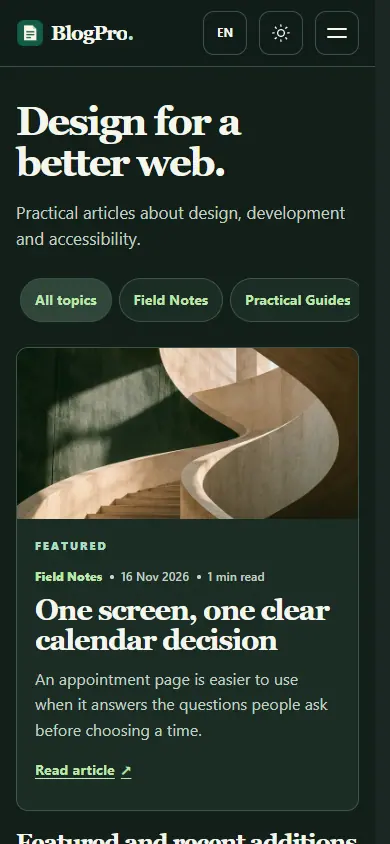
Your content travels well.
The same website adapts to a smaller screen. Existing article links stay stable when you organise content into different areas.
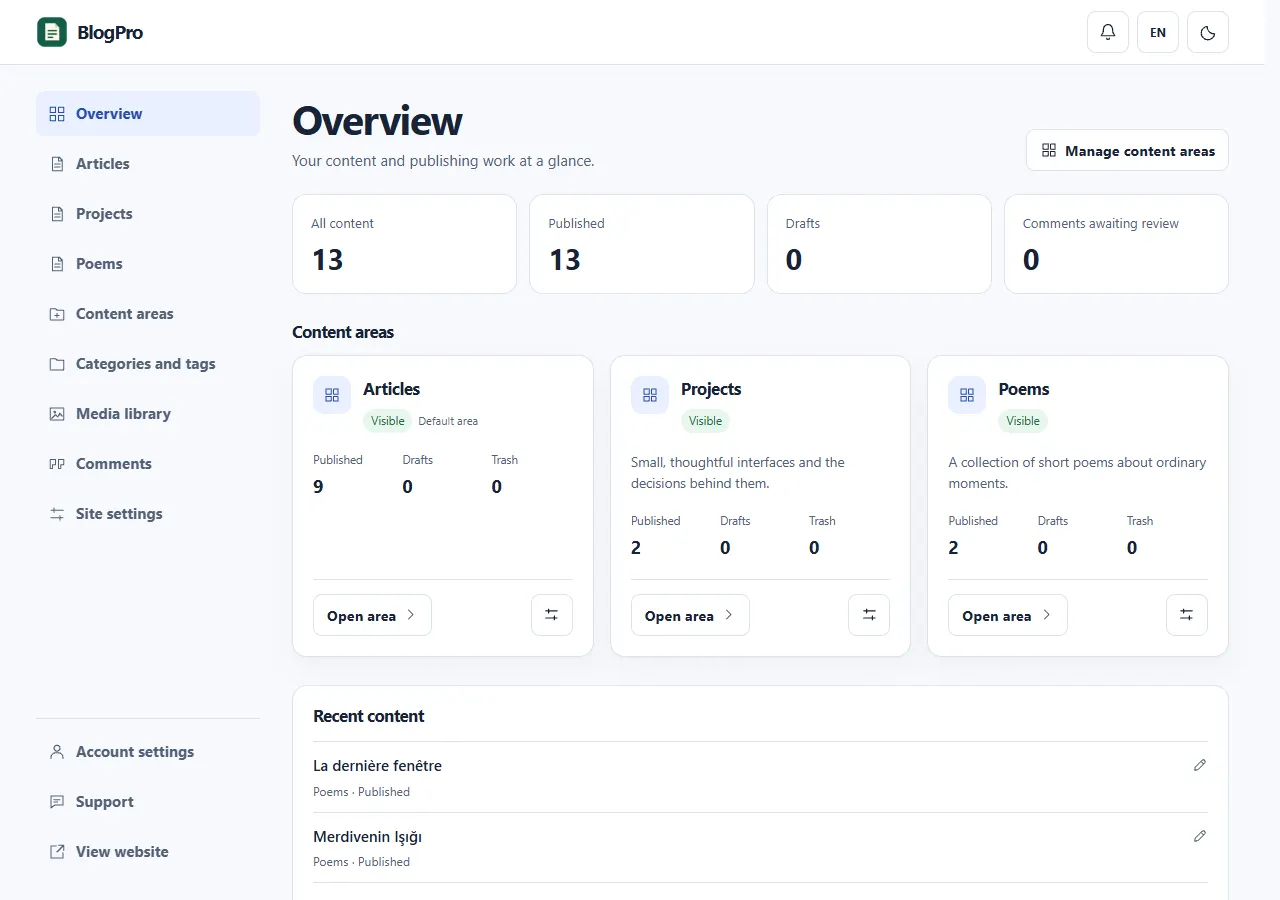
02 / Admin panel
Different kinds of work. One place to manage them.
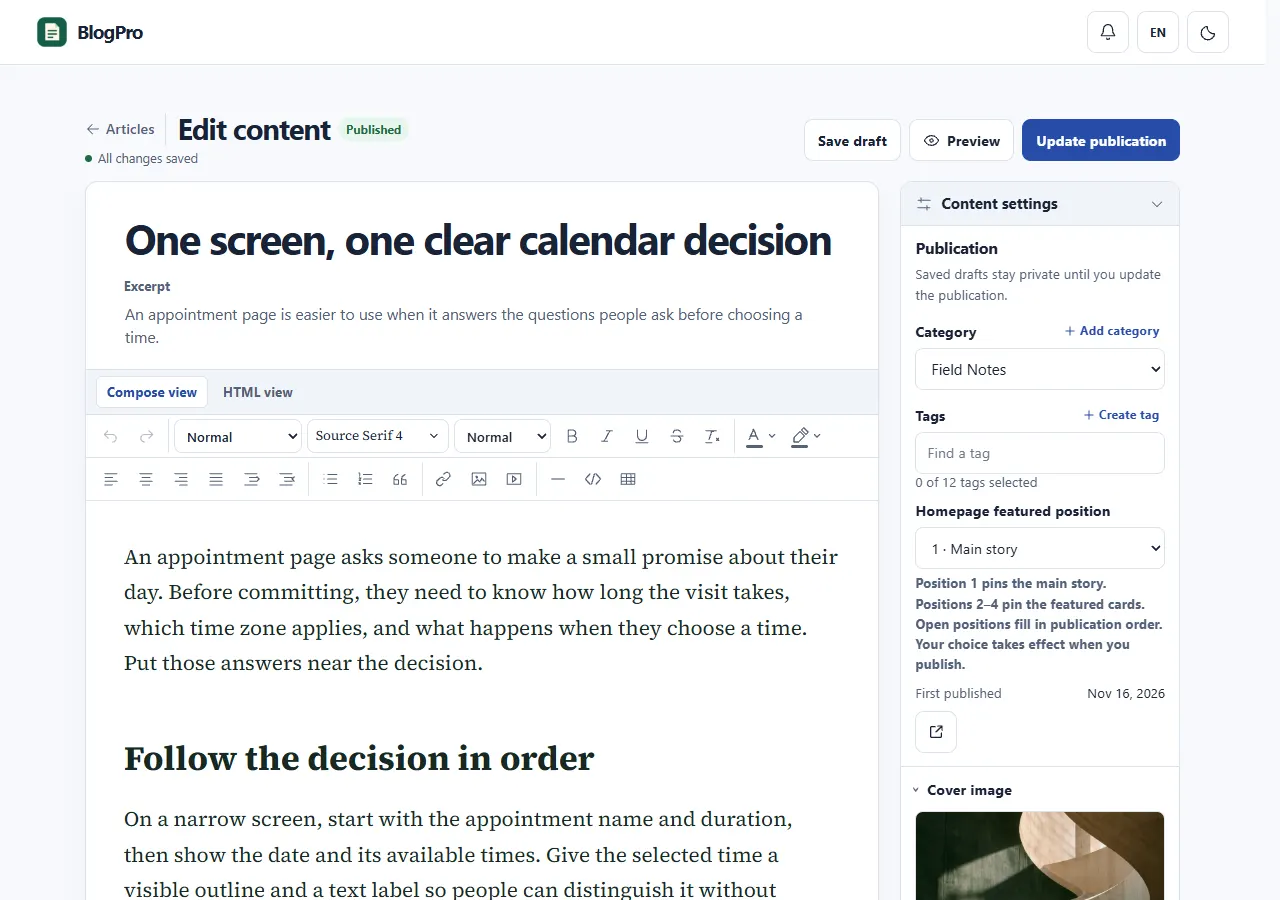
Keep posts, projects or poems in their own content areas. Write and preview a draft, then publish when it is ready.
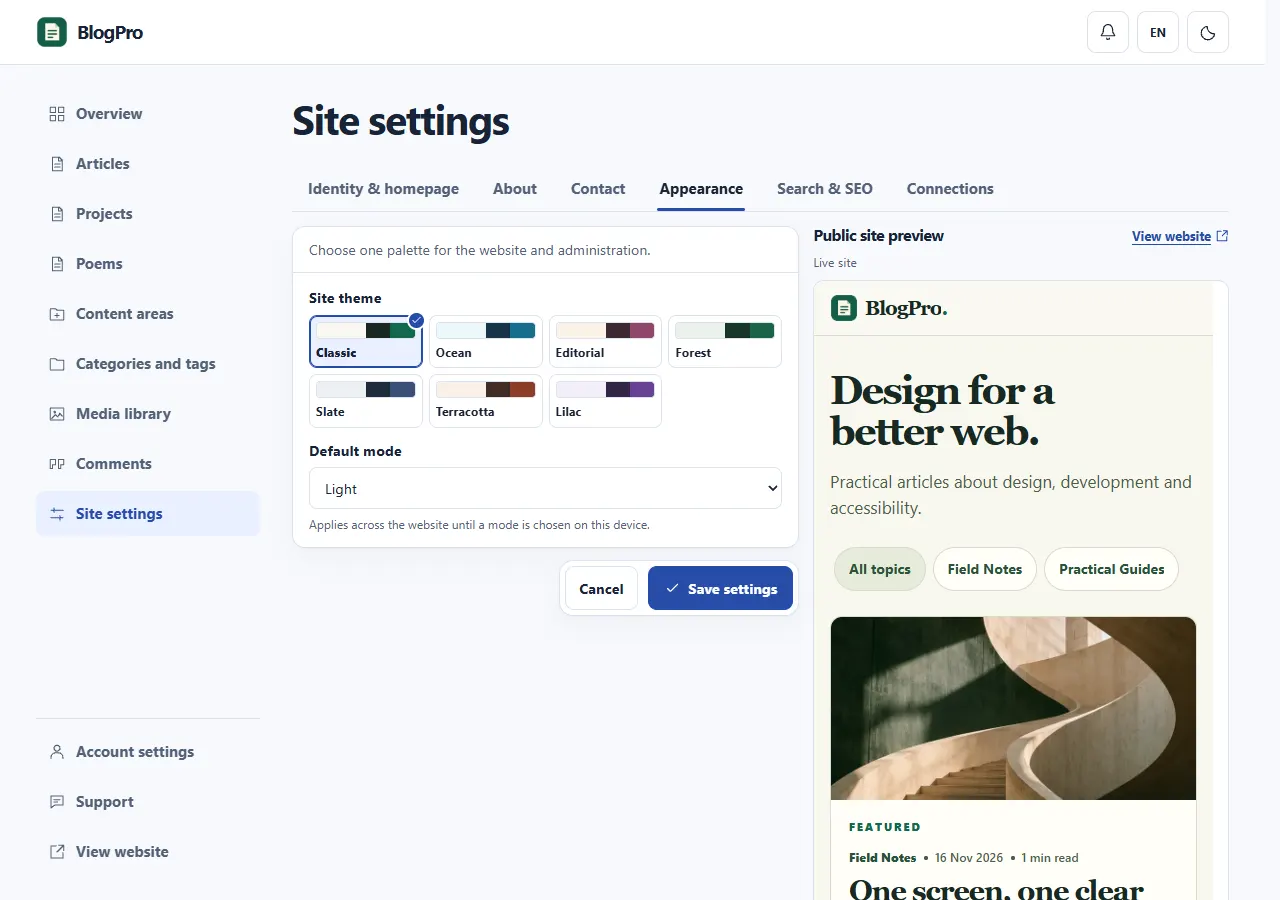
03 / Website settings
Keep the website around your writing current.
Choose a theme, update your about and contact pages, and edit search descriptions without changing your article addresses.
A practical publishing toolkit.
Everyday controls for writing, presenting your work and looking after your site.
Articles, projects and poems
Create named content areas with their own archive pages. Set a title, description and visibility for each area.
An editor with room for detail
Format text, choose supported fonts and add images from your library or supported video links. Preview unsaved work before publishing.
One reusable media library
Reuse uploaded images across covers and article content. See where an image is used before deleting it.
Archives, categories and tags
Help readers explore with search, pagination, shared categories and tags. Saved content stays in its original language.
Comments under your control
Review incoming comments before publication. Select comments together to remove, restore or permanently delete them.
Theme, pages and search details
Manage the theme, about and contact pages, site identity and search information from the panel.
Account and support
Verify your email, recover your account by email and optionally enable two-step verification. Follow support conversations in the panel.
Apps and optional notifications
Add the website or panel as an app in a supported browser. Enable panel browser notifications if you want them.
Before you start
Can I use it for projects or poems?
Yes. Named content areas let you separate different kinds of writing while keeping one website and panel.
Does changing the interface language translate my posts?
No. The interface is available in nine languages. The words you write stay as you entered them; there is no automatic article translation.
How do I get my own site?
We agree on your needs and prepare your own installation. Add your real content and domain, then use the panel for everyday updates.
Nuri Gökdoğan / Studio
Make space for your own work.
Let’s decide what you want to publish and prepare a website you can continue to manage yourself.